This guide answers the questions retailers most often ask before rolling out ESL: what they are, how they work, what they cost, how they compare with barcodes and RFID, when they pay for themselves, and how a rollout actually happens. If you are comparing product types, our companion guide to types of electronic shelf labels breaks the category down by display, size and network.
What Are Electronic Shelf Labels?
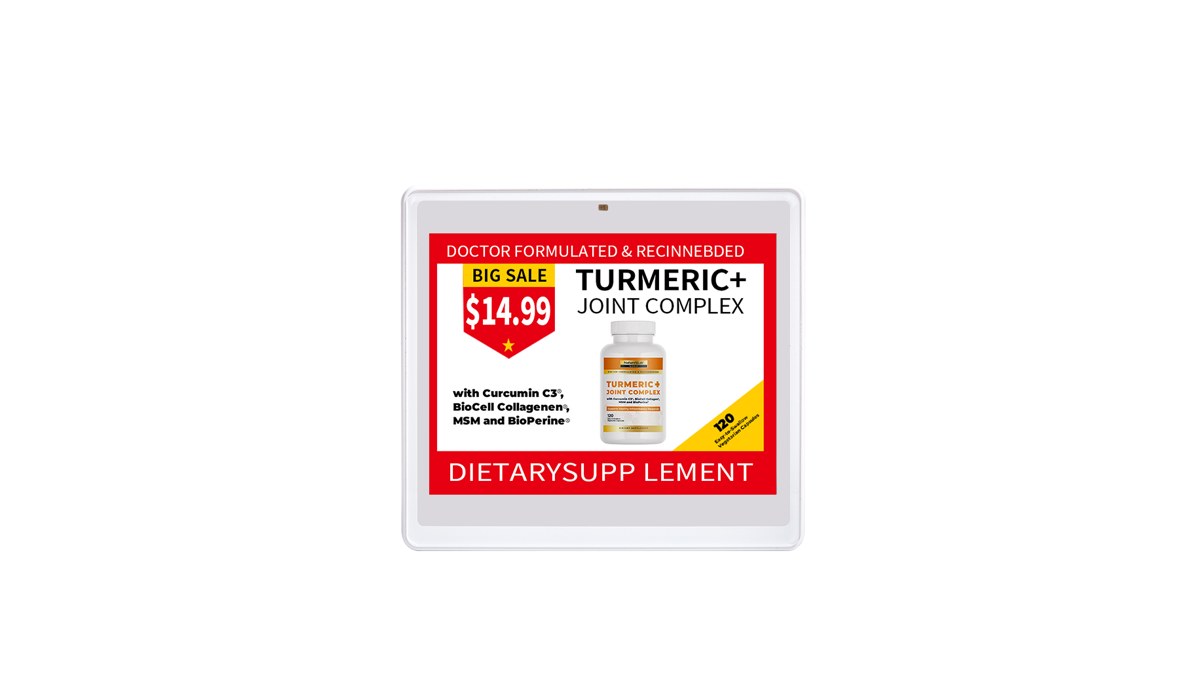
An electronic shelf label is a battery-powered digital display that shows a product’s price and information on the shelf edge and updates over a wireless network. Most ESLs use electronic paper (e-ink) — the same low-power screen technology found in e-readers — because it stays readable without constant power and holds its image even when idle, drawing current only at the instant it redraws.
The terms overlap in search and in the trade: electronic shelf label, ESL tag, digital price tag, digital shelf label and e-ink price tag usually describe the same product. ESL is the industry term; digital price tag is the everyday one (our electronic price tags guide lists every synonym, including the UK term “shelf edge labels”). Whatever you call it, the job is the same — put the current, correct price in front of the shopper and keep it identical to the price charged at the register.
How Do Electronic Shelf Labels Work?
What are the three parts of an ESL system?
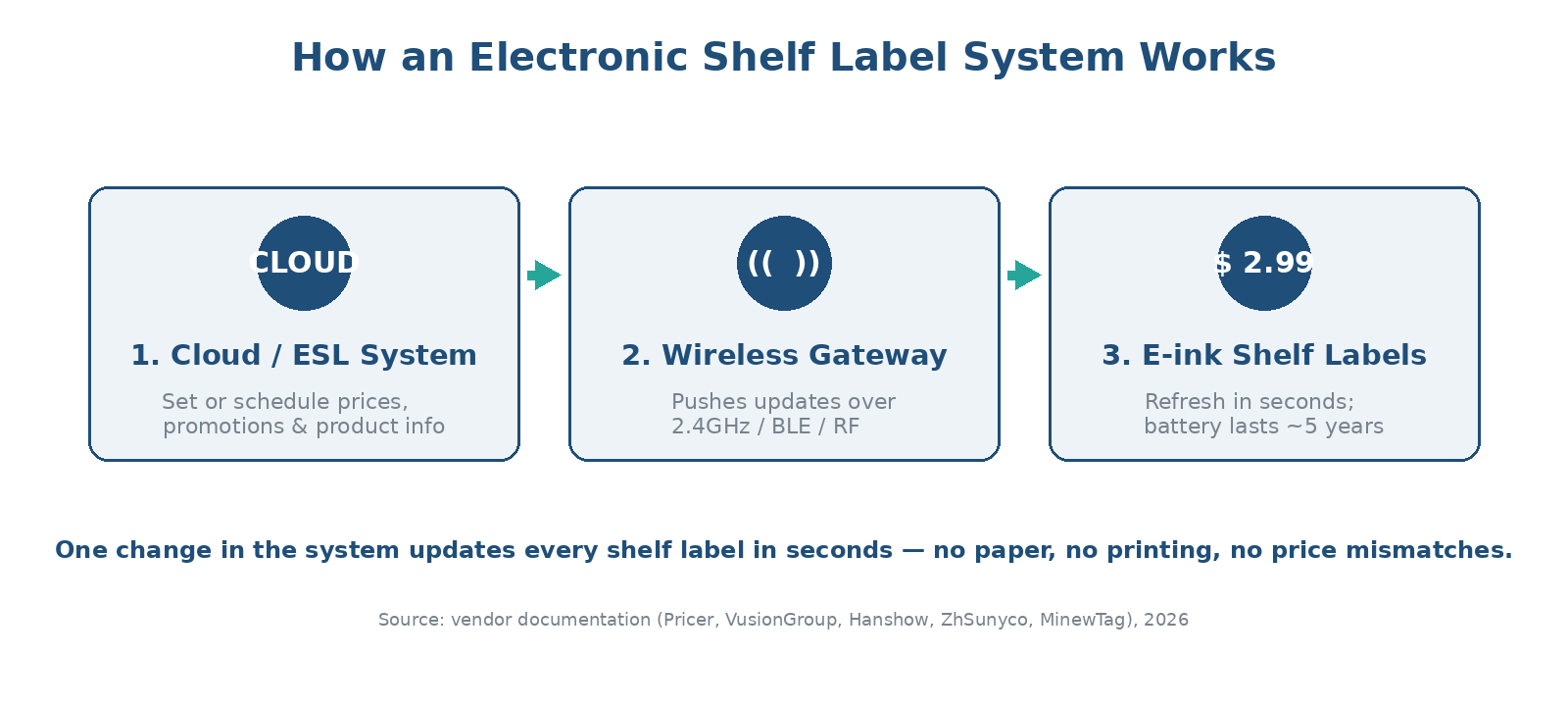
An ESL system has three parts: management software, one or more wireless gateways, and the e-ink labels on the shelves. You edit a price in the software (often linked to POS, ERP or a pricing engine); the command travels to a gateway installed in the store; the gateway pushes the new image over a low-power radio to the matching labels, which redraw their e-paper screens within seconds and then return to sleep to conserve battery.
What wireless technology do ESLs use?
Most large deployments use a low-power 2.4 GHz proprietary radio or sub-GHz RF for range and battery life; smaller or newer stores may use Bluetooth Low Energy, which now has a standardized ESL profile from the Bluetooth SIG, or NFC for setup. The trade-off is range and refresh speed versus battery life and infrastructure cost. Most systems do not run on guest Wi-Fi — a dedicated gateway keeps updates reliable across thousands of tags.
How long do ESL batteries last?
Because e-ink only consumes power on refresh, mainstream ESL batteries last roughly five to eight years even with several updates per day, and the system warns you before end of life. Battery life still depends on size, color, update frequency and temperature — our note on ESL battery life explains what actually drives the number.
What Are the Benefits of Electronic Shelf Labels?
The business case rests on labor, accuracy and flexibility. The biggest wins:
- Instant, store-wide repricing — change a price once and it syncs everywhere in seconds, enabling timed promotions, markdowns and dynamic pricing.
- Price accuracy — shelf, online and checkout prices share one source, eliminating mismatches, disputes and, in some regions, pricing-accuracy penalties.
- Labor savings — staff stop printing and swapping paper tags and shift to restocking and service; often dozens of hours saved per store per week.
- Less waste — no more printing thousands of paper tickets every week.
- Smarter operations — many ESLs add pick-to-light flashing to speed up restocking, picking and click-and-collect, and QR codes to link the shelf to richer product data.
| Benefit | What changes on day one | Where it shows up |
|---|---|---|
| Repricing speed | Hours of aisle-walking become minutes in software. | Promotion cycles, competitor response, markdowns. |
| Pricing accuracy | Shelf price cannot drift from checkout price. | Fewer disputes, less compliance risk. |
| Labor | No printing or hand-placing tickets. | Staff redeployed to service and stock. |
| Data | The shelf edge becomes a live system output. | QR codes, stock flags, AI pricing signals. |
Electronic Shelf Labels vs Barcode vs RFID
ESLs, barcodes and RFID solve different problems — barcodes and RFID identify and track items, while ESLs display and update information at the shelf edge. Many stores use all three together: a barcode to ring the item up, RFID to count stock, and an ESL to show the price.
| Aspect | Electronic Shelf Labels | Barcode | RFID Tags |
|---|---|---|---|
| Real-time updates | Yes | No | Yes |
| Shows price to shopper | Yes (digital display) | Static printed | No |
| Wireless communication | Yes | No | Yes |
| Pricing flexibility | Highly flexible | Static | Variable |
| Typical use | Shelf-edge pricing & info | Item ID at checkout | Inventory tracking |
| Per-unit cost | Highest | Lowest | Medium |
| Power | Battery (~5 yrs) | None | Passive / none |
Are Electronic Shelf Labels Better Than Paper Tags?
For stores that reprice often or carry many SKUs, yes — paper is cheaper per unit but never stops costing money. Printing, labor and errors recur every week, while ESLs cost more upfront and then eliminate those recurring costs. A very small shop with stable prices may still find paper more economical; the crossover depends on SKU count and how often prices change.
| Factor | Paper tags | Electronic shelf labels |
|---|---|---|
| Upfront cost | Very low | Higher (hardware + setup) |
| Cost over time | Recurring (print + labor, weekly) | One-time, lasts years |
| Repricing speed | Hours, manual | Seconds, automatic |
| Price errors | Common | Near-zero |
| Best for | Tiny shops, stable prices | Multi-SKU, frequent repricing |
We run the full multi-year math — labor, paper, error and markdown costs — in our dedicated ESL vs paper labels comparison.
How Much Do Electronic Shelf Labels Cost, and What’s the ROI?
Per-tag hardware commonly runs a few dollars for small monochrome labels to over ten dollars for large color displays, before gateways, software, installation and support. Total cost depends on label count, screen size and color, and infrastructure. The ROI case rests on three lines: labor saved, fewer pricing errors, and incremental revenue from dynamic pricing and reduced markdown waste.
When do electronic shelf labels pay for themselves?
Payback is fastest for formats with many SKUs and frequent repricing. Indicative ranges below — validate with your own labor rates and SKU counts, or run the ROI calculator:
| Store type | SKU count | Repricing frequency | Typical payback* |
|---|---|---|---|
| Convenience store | 1k–3k | Low–medium | Slower end of 12–36 months |
| Supermarket / grocery | 15k–40k | High | Faster end of 12–36 months |
| Electronics / DIY | 5k–20k | Medium–high | Middle of 12–36 months |
| Pharmacy | 8k–15k | Medium | Middle of 12–36 months |
* Indicative only. Payback is driven mainly by re-pricing frequency and local labour rates — for the formula and a worked example see how to calculate ESL ROI; for the capital side see how much electronic shelf labels cost.
How Do You Roll Out Electronic Shelf Labels?
A rollout runs in five stages, and the integration — not the hardware — is where success is decided.
- Site survey and sizing. The vendor maps your floor plan to set gateway count and coverage, and counts labeled positions by size and color.
- Integration. The ESL system connects to POS, ERP or your pricing engine so the shelf price is driven by one source of truth. Confirm the API and data-export terms here.
- Template design. You define how each label looks — price, unit price, promo flags, QR codes — by category.
- Pilot. Run one live, difficult category and measure update success, battery behavior and price accuracy before scaling.
- Store-by-store deployment. Mount rails and clips, bind tags to products, and go live zone by zone.
One planning question decides more than most: does the system fit inside your stack, or must you operate it from the vendor’s? We unpack that in open vs closed ESL systems — it matters because the hardware you buy today will run for seven to ten years.
Three Common Myths About ESLs
Myth 1: ESLs are only for huge chains. Payback is fastest at scale, but mid-size grocers, pharmacies, specialty stores and warehouses deploy them profitably too — the deciding factors are SKU count and repricing frequency, not store count.
Myth 2: digital tags mean surge pricing. An academic study of roughly 180 million price observations found no increase in temporary price hikes after a grocery chain adopted ESLs — the hardware displays whatever pricing policy the retailer sets. We cover the evidence in our grocery digital price tags guide.
Myth 3: the tags need constant charging. E-paper is bistable — it holds its image with no power and only sips current on refresh — so a single battery lasts years, not hours.
Want to see the numbers for your network? Try the AiESL ROI calculator or request a custom quote — AiESL runs on open middleware, so you can start on hardware you already own.